
Appearance
XDR To XDM Conversion
This test suite exercises a HISP’s ability to receive messages from an edge via XDR, translate the XDR message into an SMTP message with an XDM attachment, and then send the SMTP message to the recipient(s) listed in the XDR message’s Direct addressing block. In each of the tests, the testing tool will connect to your HISP using XDR messages. The testing tool will validate your HISP’s generated XDM payload using NIST XDM validation libraries.
TIP
Note: Before you can perform these tests, you must first create an XDR configuration profile with information that tells the testing tool how to connect to your HISP’s XDR server. See the XDR Server Configuration documentation for how to create an XDR configuration profile. If your XDR server requires mutual TLS authentication, you will need to include the testing tool’s XDR client certificate in your XDR server’s store of trusted certificates. You can obtain the testing tool’s XDR client certificate from the Prerequisites section of the testing tool’s home page.
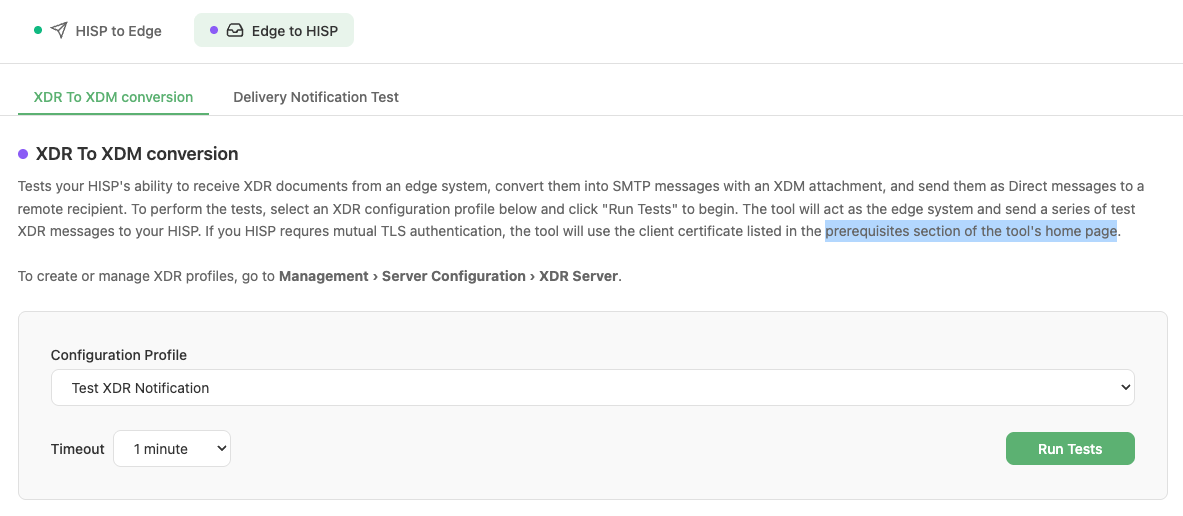
XDR To XDM Conversion test configuration
Workflow
- Navigate to HISP Tools > Edge Protocols > XDR and select the XDR To XDM conversion sub-tab under the Edge To HISP tab.
- Select an XDR configuration profile for the XDR server that you would like to test.
- Select a timeout value (1–5 minutes). A longer timeout allows more time for your system to send messages to the testing tool’s HISP.
- Click Run Tests. The tool immediately begins connecting to your HISP using XDR and sending messages from the configured XDR email account. It monitors the XDR transaction results and looks for received messages at the testing tool’s HISP. It then validates the XDM payload on the received messages. Monitoring continues until the timeout threshold is exceeded.
- Results are displayed in real time as each test scenario completes, with status indicators for running, success, failed, and aborted.

Test scenarios running in real time
- Once all scenarios finish, the overall suite status is shown (SUCCESS, FAILED, or ABORTED).
- The tool generates a report indicating success or failure and lists any scenarios that failed. The results can be viewed in the Results and Reports section of the tool under Management > Results and Reports.
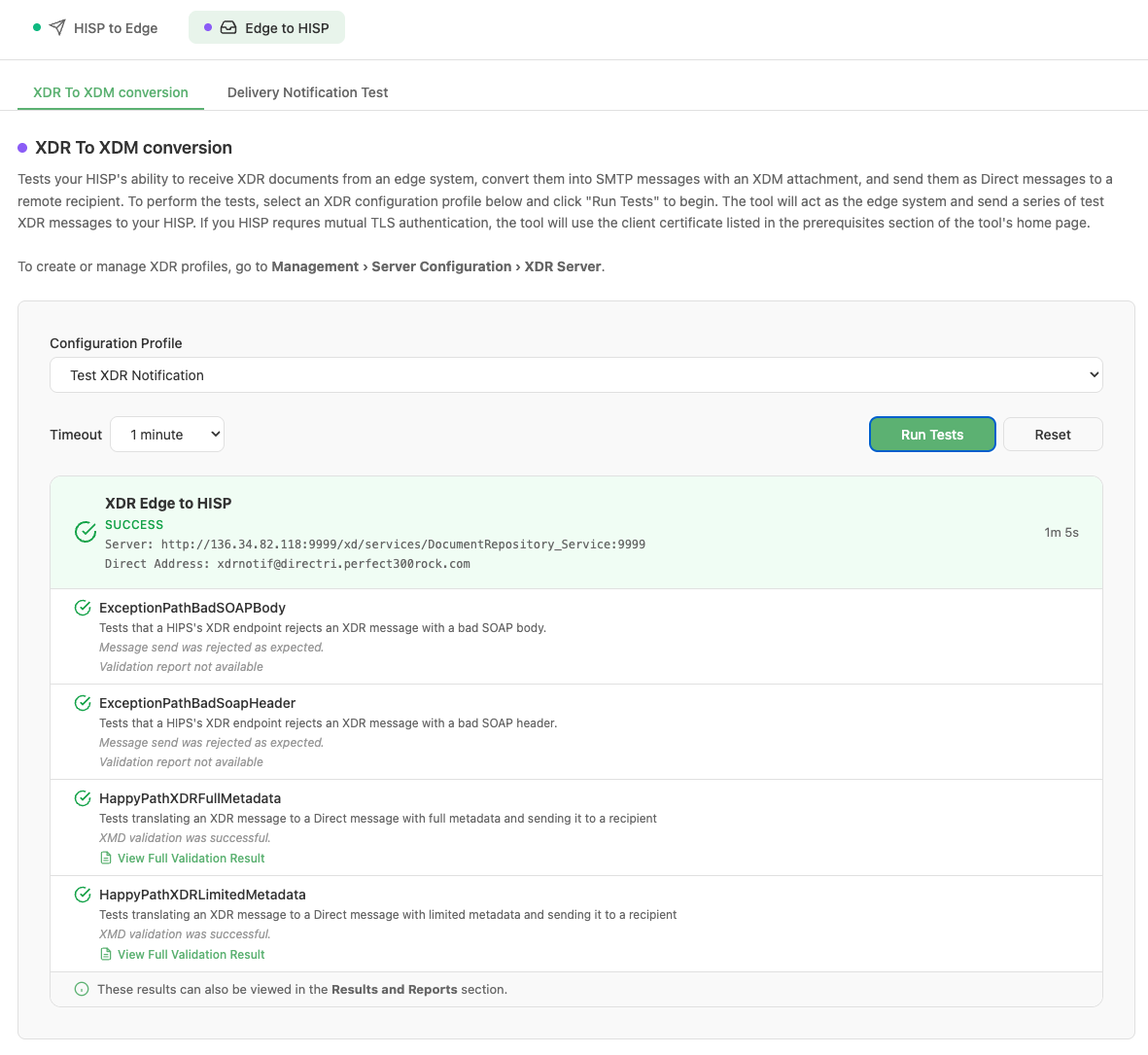
Completed test suite showing overall SUCCESS status
If the testing tool successfully receives the Direct message with the XDM attachment from your HISP, it validates the XDM attachment and reports the results. You can view the validation results by clicking the “View Full Validation Result” link for each test scenario. The validation result contains a validation log and a breakdown of the content found in the XDM payload. If validation fails, you can determine the failure reasons by reviewing the validation log.
Test Scenarios
Each test maps to a specific payload-to-XDR messaging scenario. The following table lists all tests and the scenario they cover:
| Test Name | Scenario Description |
|---|---|
| ExceptionPathBadSOAPBody | The testing tool sends an XDR message to the HISP’s XDR server, but the XDR message contains a bad SOAP body. The HISP is expected to reject the XDR message and return an appropriate XDR response. This results in no Direct message being received by the testing tool’s HISP. |
| ExceptionPathBadSoapHeader | The testing tool sends an XDR message to the HISP’s XDR server, but the XDR message contains a bad SOAP header. The HISP is expected to reject the XDR message and return an appropriate XDR response. This results in no Direct message being received by the testing tool’s HISP. |
| HappyPathXDRLimitedMetadata | The testing tool sends an XDR message to the HISP’s XDR server that contains limited metadata content. The HISP is expected to convert the XDR message into an SMTP message with an XDM payload that uses the limited metadata profile and return an appropriate XDR response. This results in a Direct message being received by the testing tool’s HISP that contains an XDM payload attachment. The testing tool then validates the XDM payload content. |
| HappyPathXDRFullMetadata | The testing tool sends an XDR message to the HISP’s XDR server that contains full metadata content. The HISP is expected to convert the XDR message into an SMTP message with an XDM payload that uses the full metadata profile and return an appropriate XDR response. This results in a Direct message being received by the testing tool’s HISP that contains an XDM payload attachment. The testing tool then validates the XDM payload content. |