
Appearance
SMTP Transport
This test suite exercises a HISP’s ability to receive messages from an edge over the SMTP transport protocol. The tests validate STARTTLS negotiation, server certificates, authentication (AUTH PLAIN), and outbound message delivery. It also includes negative-path tests such as invalid credentials and malformed messages to confirm the server correctly rejects them. In each of the tests, the testing tools will connect to your HISP over SMTP.
TIP
Note: Before you can perform these tests, you must first create an SMTP configuration profile with information that tells the testing tools how to connect and authenticate to your HISP using SMTP. See the SMTP Server Configuration documentation for how to create an SMTP configuration profile.
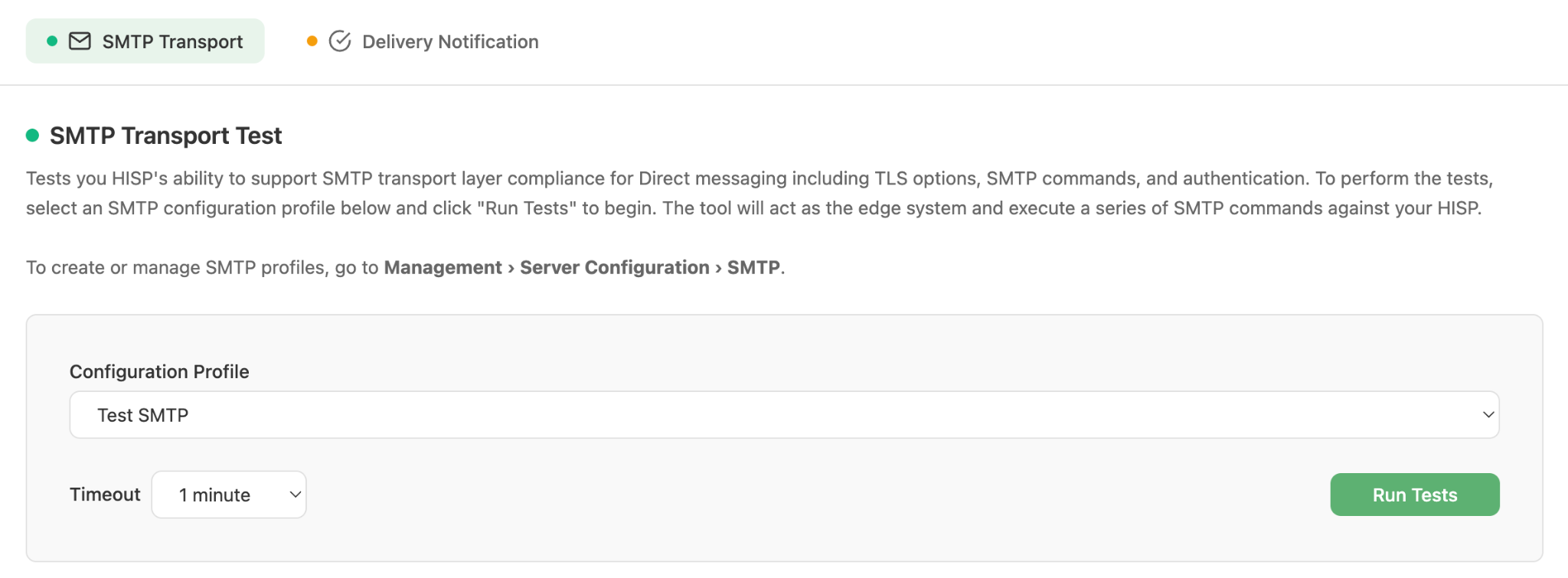
SMTP Transport Test configuration
Workflow
- Navigate to HISP Tools > Edge Protocols > SMTP and select the SMTP Transport Test tab.
- Select an SMTP configuration profile for the SMTP server that you would like to test.
- Select a timeout value (1–5 minutes). A longer timeout allows more time for your system to send messages to the testing tool’s HISP.
- Click Run Tests. The tool immediately begins connecting to your HISP using SMTP and sending messages from the configured SMTP email account. It monitors SMTP command responses and, when applicable, looks for received messages in the tool’s HISP. Monitoring continues until the timeout threshold is exceeded.
- Results are displayed in real time as each test scenario completes, with status indicators for running, success, failed, and aborted.
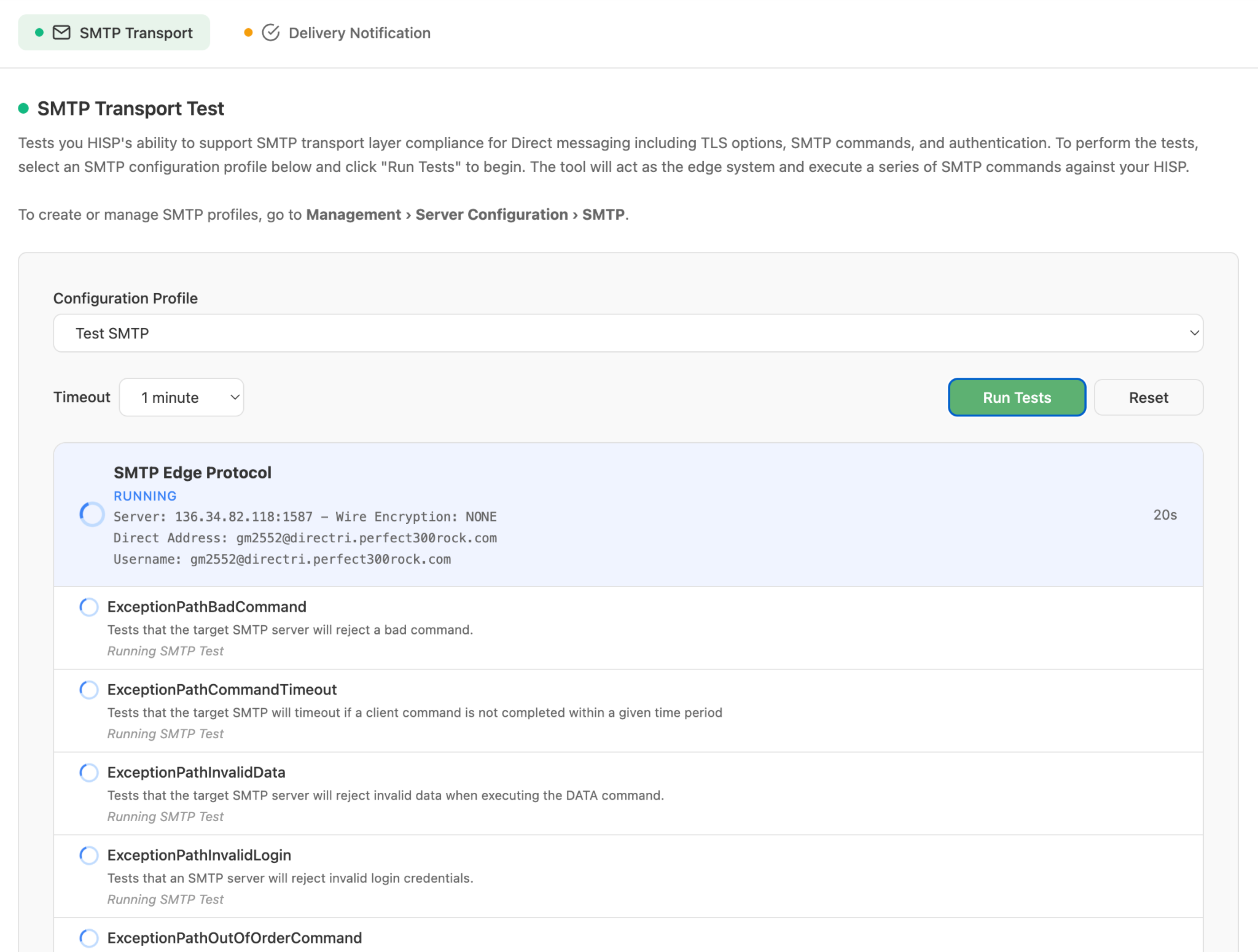
Test scenarios running in real time
- Once all scenarios finish, the overall suite status is shown (SUCCESS, FAILED, or ABORTED).
- The tool will generate a report indicating a success or failure and will report any scenarios that failed. The results can be viewed in the Results and Reports section of the tool under Management > Results and Reports.
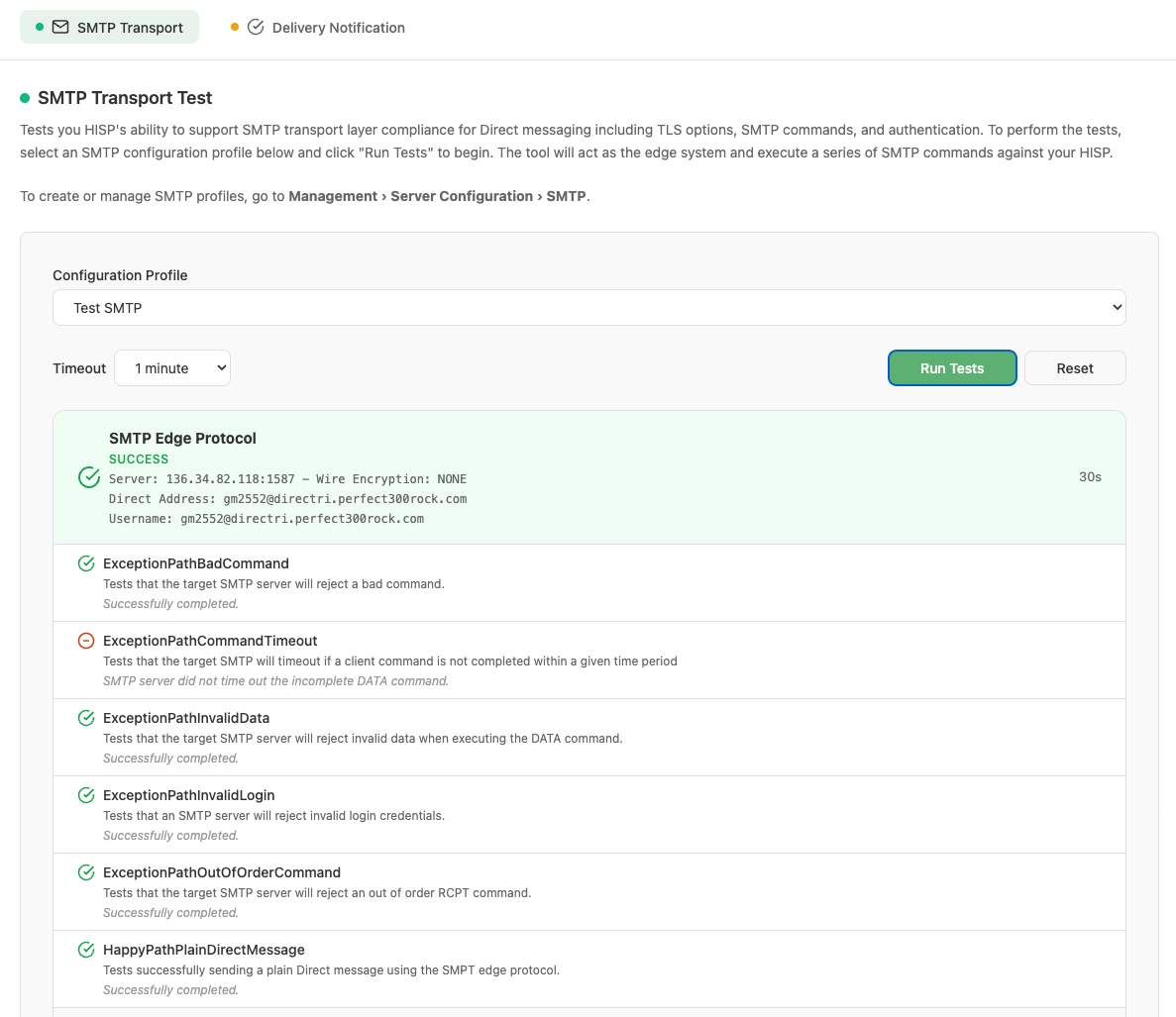
Completed test suite showing overall SUCCESS status
Test Scenarios
Each of the tests maps to a specific SMTP Direct messaging scenario. The following table lists all tests and the scenario they cover:
| Test Name | Scenario Description |
|---|---|
| ExceptionPathBadCommand | The tool connects to the SMTP server and successfully authenticates. The tool then sends an invalid SMTP command that the SMTP server is expected to reject and respond with an appropriate error code. This will result in NO Direct message being sent. |
| ExceptionPathCommandTimeout | The tool connects to the SMTP server and successfully authenticates. The tool then sends a series of commands ending with a DATA command, but without sending the expected data payload. The tool will leave the DATA command in a pending state and wait for the SMTP server to time out the command due to inactivity. The expectation is that the SMTP server will return an appropriate error code and terminate the SMTP connection. This will result in NO Direct message being sent. Note: Although the RFC recommends an inactivity time of 5 minutes, it is not strictly required. Many SMTP servers respond to inactivity in different ways, even though the RFC provides guidance on expected behavior. For now, this test simply indicates a warning if the expected server disconnect behavior is not observed. |
| ExceptionPathInvalidData | The tool connects to the SMTP server and successfully authenticates. The tool then sends a series of commands ending with a DATA command but with an invalid data payload. The SMTP server is expected to reject the DATA command and respond with an appropriate error code. This will result in NO Direct message being sent. |
| ExceptionPathInvalidLogin | The tool connects to the SMTP server but sends an invalid password during authentication. The SMTP server is expected to reject the authentication request. This will result in NO Direct message being sent. |
| ExceptionPathOutOfOrderCommand | The tool connects to the SMTP server and successfully authenticates. The tool then attempts to send commands out of order of the specific protocol sequence. Specifically, it sends an RCPT TO command before it sends a MAIL FROM command. The SMTP server is expected to reject the RCPT TO command and respond with an appropriate error code. This will result in NO Direct message being sent. |
| HappyPathPlainDirectMessage | The tool connects to the SMTP server and successfully authenticates. The tool then sends a series of expected commands to successfully transmit an SMTP message from the edge to the SMTP server. The SMTP server is expected to successfully accept all commands and respond with the appropriate success codes. This will result in a Direct message being sent to the testing tool’s HISP. The tool will verify that the message is received by its HISP. |