
Appearance
Direct Receive Messages
This test exercises a HISP’s ability to receive properly formatted Direct messages and either respond with the correct notification messages or reject the message due to security and trust violations. The tool sends a suite of test messages to the specified Direct address covering multiple scenarios such as normal delivery, signed-only messages, and messages with various attachment types. It then monitors for appropriate MDN responses and reports the outcome of each scenario.
TIP
Note: You can only send to a Direct address that you registered in the User Settings.
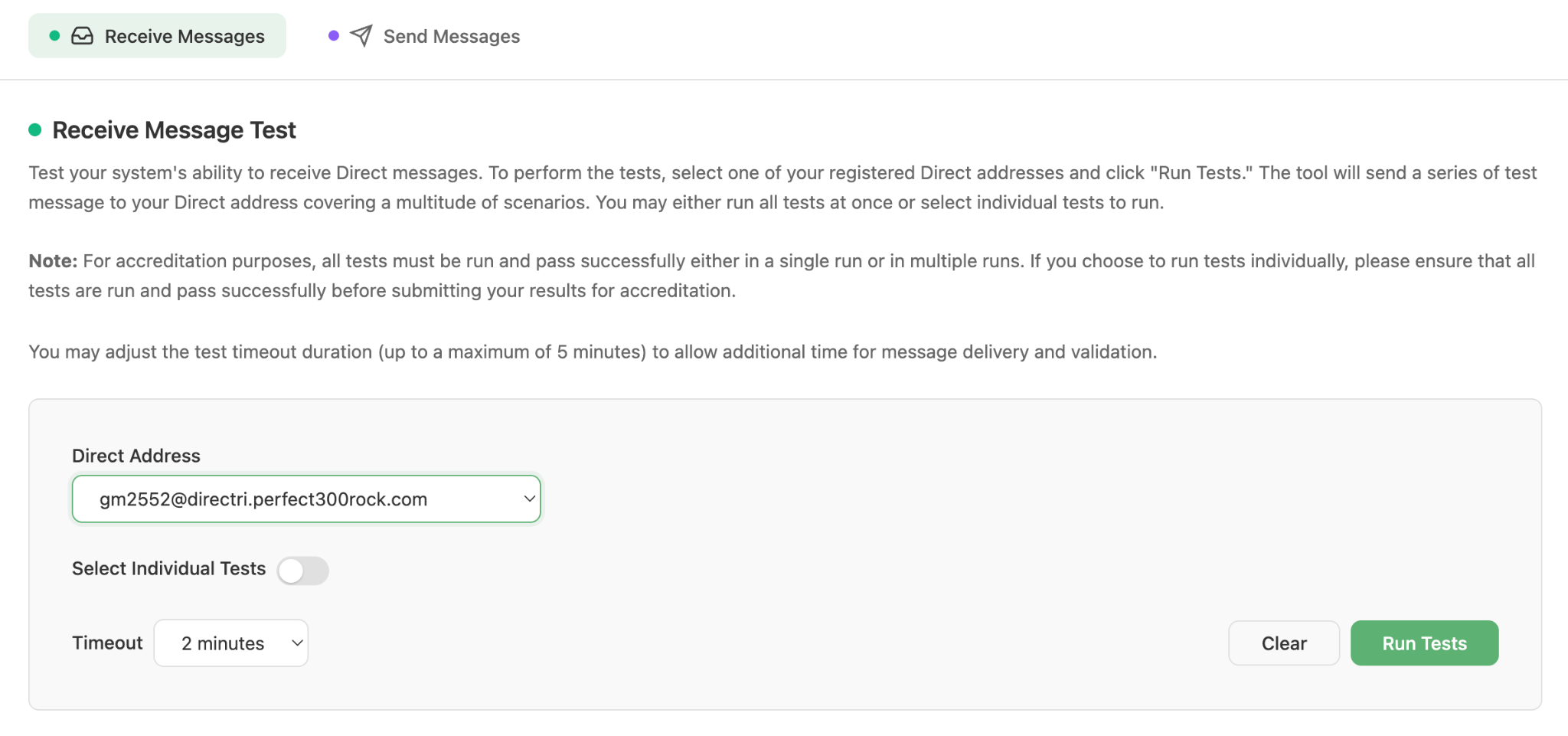
Receive Message Test configuration
Workflow
- Navigate to HISP Tools > DirectProtocol and select the Receive Messages tab.
- Select a Direct address to be tested from the dropdown of registered Direct addresses.
- You can either run all tests or select to run only a subset of tests.
TIP
Note: For accreditation purposes, you must have run all tests successfully either via a single test run or multiple test runs to be considered complete for accreditation.
- Select a timeout value (2–5 minutes). A longer timeout allows more time for message delivery and MDN responses.
- Click Run Tests. The tool immediately begins sending the test messages to the selected address, monitors for received notification messages, and continues until the timeout threshold is exceeded.
- Results are displayed in real time as each test scenario completes, with status indicators for running, success, failed, and aborted.
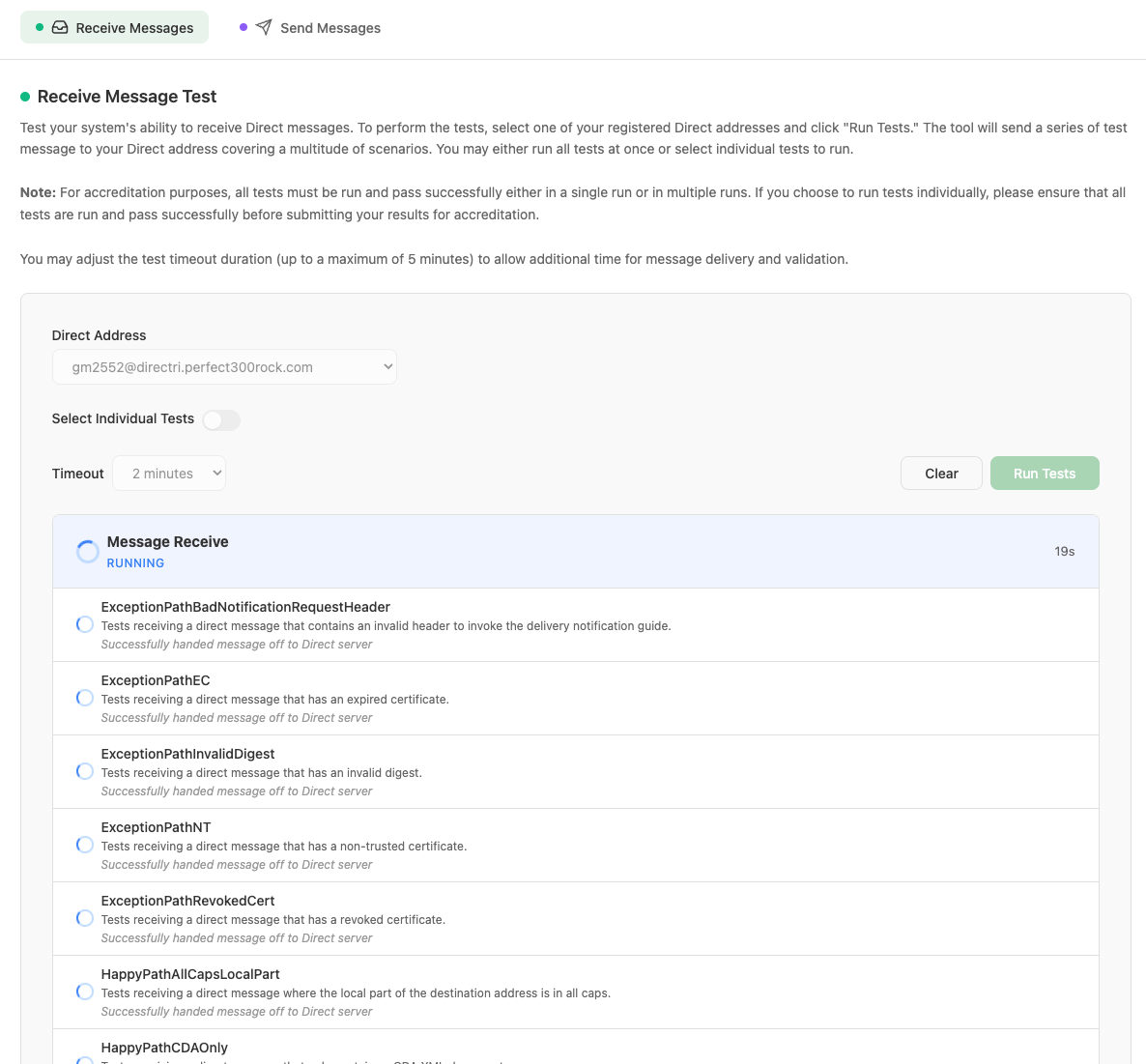
Test scenarios running in real time
- Once all scenarios finish, the overall suite status is shown (SUCCESS, FAILED, or ABORTED).
- The tool will generate a report indicating a success or failure and will report any scenarios that failed. The results can be viewed in the Results and Reports section of the tool under Management > Results and Reports.
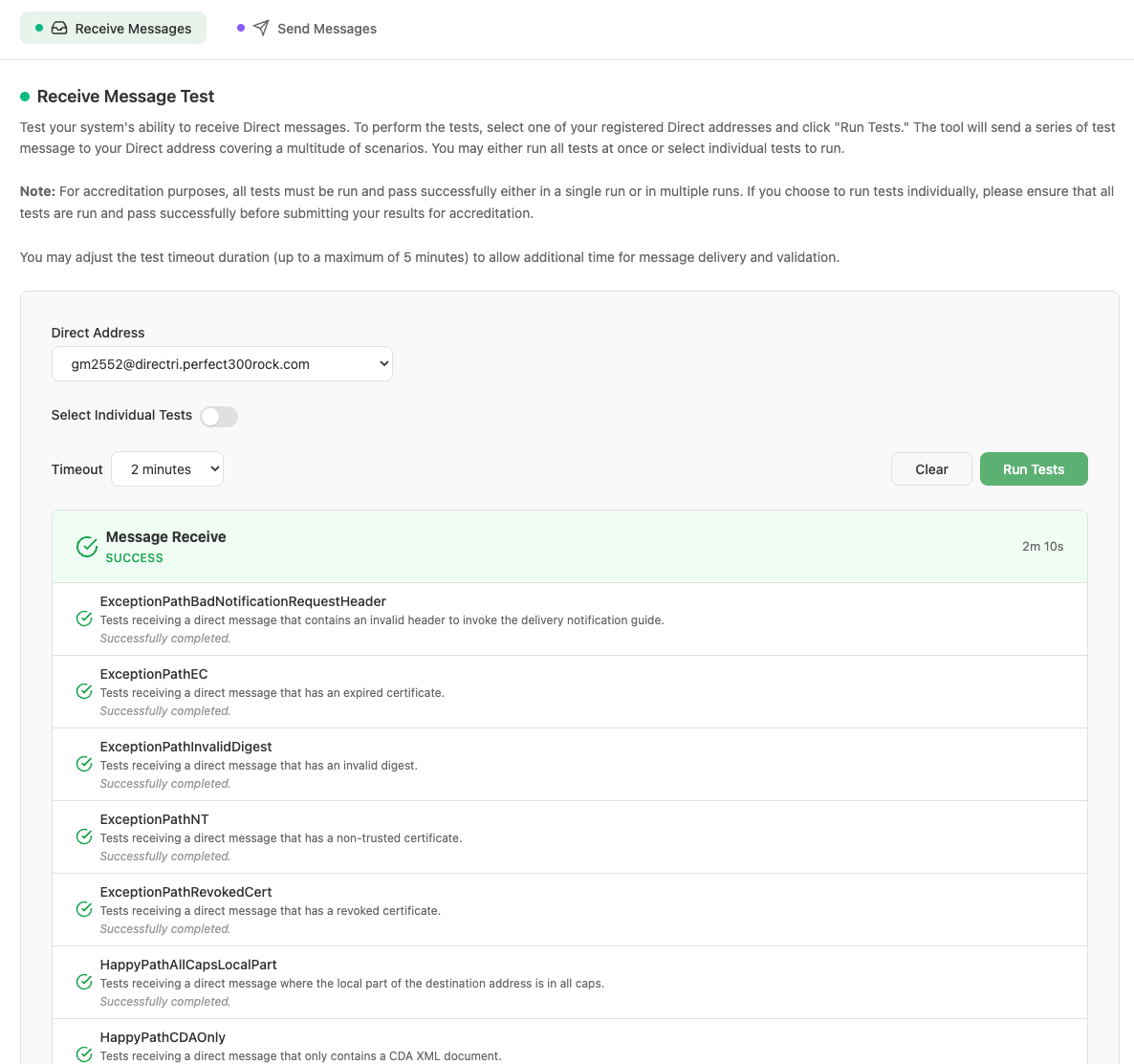
Completed test suite showing overall SUCCESS status
Test Scenarios
Each of the tests maps to a specific Direct messaging scenario. The following table lists all tests and the scenario they cover:
| Test Name | Scenario Description |
|---|---|
| ExceptionPathBadNotificationRequestHeader | The tool sends a valid Direct message that is intended to invoke the implementation guide for delivery notification, but contains an invalid header to invoke the guide. This will result in the message being successfully processed by the recipient HISP and an MDN processed message being returned, but will NOT result in an MDN dispatched message being returned. |
| ExceptionPathEC | The tool sends a Direct message that is signed with an expired certificate. During the digital signature validation process, the recipient HISP will reject the message due to the signing certificate being expired. This will result in NO MDN messages being returned. |
| ExceptionPathInvalidDigest | The tool sends a Direct message that has an invalid digest in the digital signature. During the digital signature validation process, the recipient HISP will reject the message due to the invalid digest. This will result in NO MDN messages being returned. |
| ExceptionPathNT | The tool sends a Direct message that is signed with a certificate that does not chain up to a trust anchor. During the digital signature validation process, the recipient HISP will reject the message due to the signing certificate not being trusted. This will result in NO MDN messages being returned. |
| ExceptionPathRevokedCert | The tool sends a Direct message that is signed with a certificate that has been revoked. During the digital signature validation process, the recipient HISP will reject the message due to the signing certificate being revoked. The receiving HISP must validate the signing certificate using the CRL in the signing certificate’s CRL extension. This will result in NO MDN messages being returned. |
| HappyPathDeliveryIG | The tool sends a valid Direct message that is intended to invoke the implementation guide for delivery notification, and contains valid headers to invoke the guide. This will result in the message being successfully processed by the recipient HISP and both an MDN processed message and an MDN dispatched message being returned. |
| HappyPathAllCapsLocalPart | The tool sends a valid Direct message where the local part of the sender’s Direct address is in all caps. The receiving HISP will be able to validate the binding of the certificate to the address regardless of the case of the local part. This will result in the message being successfully processed by the recipient HISP and an MDN processed message being returned. NO MDN dispatch message will be returned. |
| HappyPathLowerCaseLocalPart | The tool sends a valid Direct message where the local part of the sender’s Direct address is in all lowercase. The receiving HISP will be able to validate the binding of the certificate to the address regardless of the case of the local part. This will result in the message being successfully processed by the recipient HISP and an MDN processed message being returned. NO MDN dispatch message will be returned. |
| HappyPathTextOnly | The tool sends a valid Direct message that contains only text with no other attachments. This will result in the message being successfully processed by the recipient HISP and an MDN processed message being returned. NO MDN dispatch message will be returned. |
| HappyPathCDAOnly | The tool sends a valid Direct message that contains only a CDA attachment. This will result in the message being successfully processed by the recipient HISP and an MDN processed message being returned. NO MDN dispatch message will be returned. |
| HappyPathImageOnly | The tool sends a valid Direct message that contains only an image attachment. This will result in the message being successfully processed by the recipient HISP and an MDN processed message being returned. NO MDN dispatch message will be returned. |
| HappyPathPDFOnly | The tool sends a valid Direct message that contains only a PDF attachment. This will result in the message being successfully processed by the recipient HISP and an MDN processed message being returned. NO MDN dispatch message will be returned. |
| HappyPathMixedContent | The tool sends a valid Direct message that contains both text and attachments. This will result in the message being successfully processed by the recipient HISP and an MDN processed message being returned. NO MDN dispatch message will be returned. |
| HappyPathMultiCertsEC | The tool sends a valid Direct message that is signed with a valid certificate and an expired certificate. During the digital signature validation process, the recipient HISP will reject the expired signing certificate but will successfully process the message because there is still a valid signing certificate that binds to the sender’s address. This will result in the message being successfully processed by the recipient HISP and an MDN processed message being returned. NO MDN dispatch message will be returned. |
| HappyPathMultiCertsNT | The tool sends a valid Direct message that is signed with a valid certificate and an untrusted certificate. During the digital signature validation process, the recipient HISP will reject the untrusted signing certificate but will successfully process the message because there is still a valid signing certificate that binds to the sender’s address. This will result in the message being successfully processed by the recipient HISP and an MDN processed message being returned. NO MDN dispatch message will be returned. |
| HappyPathMultiCertsNTRSO | Same as the HappyPathMultiCertsNT test, but the order of the signing certificates in the digital signature is reversed. This case exists because some HISPs may only look for a single certificate in the digital signature instead of inspecting all certificates in the digital signature. |
| HappyPathOAEPSHA1 | The tool sends a valid Direct message that is signed with a certificate using the OAEP SHA-1 algorithm. The purpose is to verify that the receiving HISP can process the OAEP SHA-1 algorithm. This will result in the message being successfully processed by the recipient HISP and an MDN processed message being returned. NO MDN dispatch message will be returned. |
| HappyPathOAEPSHA256 | The tool sends a valid Direct message that is signed with a certificate using the OAEP SHA-256 algorithm. The purpose is to verify that the receiving HISP can process the OAEP SHA-256 algorithm. This will result in the message being successfully processed by the recipient HISP and an MDN processed message being returned. NO MDN dispatch message will be returned. |