
Appearance
Single Message, Multiple Recipients
This Certificate Discovery testing option is executed by sending a single Direct message addressed to all 18 test addresses at once. Each address represents a different discovery scenario, and the tool evaluates every scenario from that one received message.
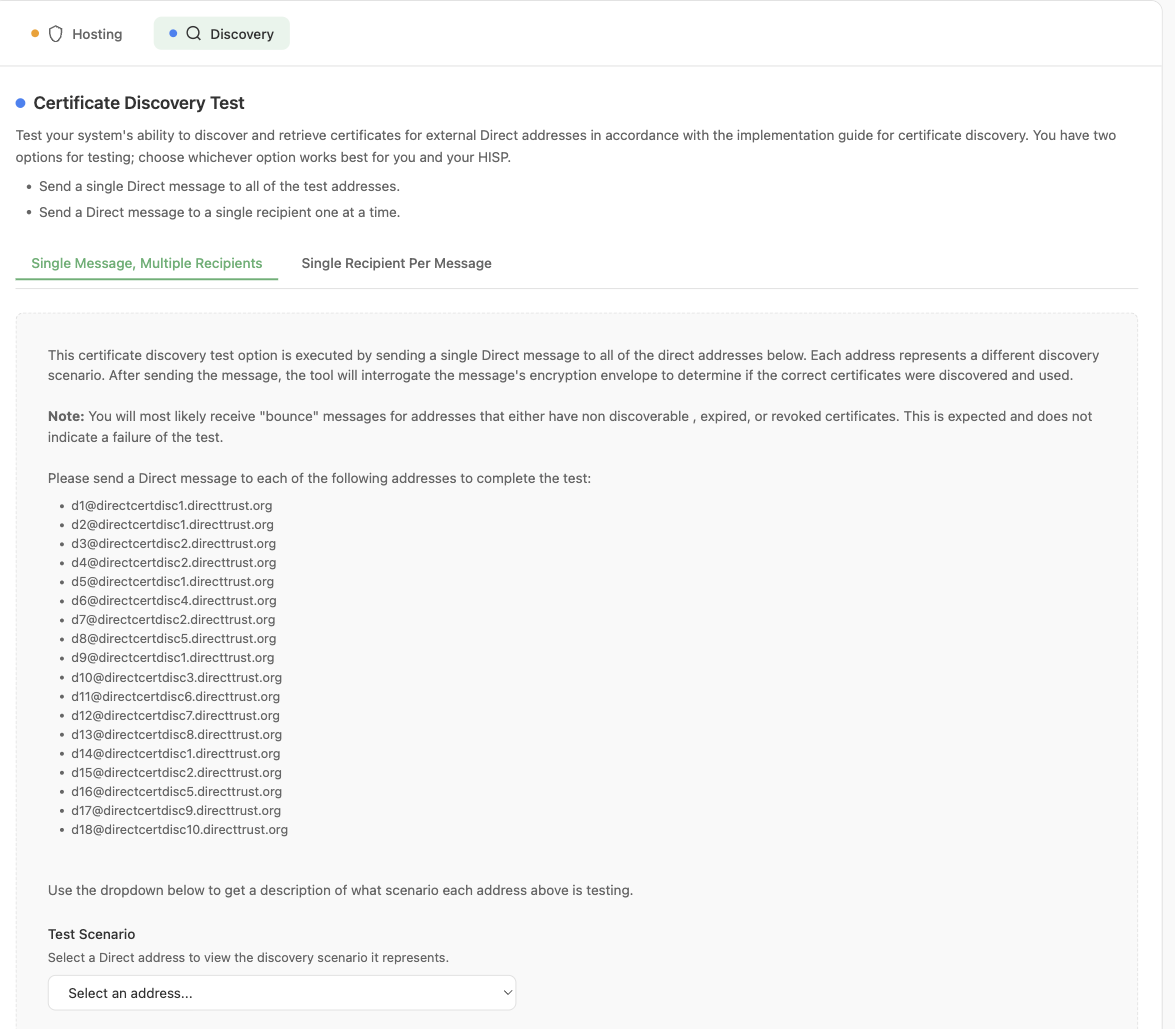
The Single Message, Multiple Recipients testing option, listing all 18 test addresses
Workflow
- The user will send a test Direct message to all 18 addresses in a single Direct message using their HISP’s edge system. The Direct address that the message is sent from must be registered in the User Settings.
Important: Sending an individual Direct message per address will result in the test failing. You MUST send a single Direct message addressed to all 18 recipients. If your HISP’s edge system cannot address a single message to multiple recipients, or if it abandons the entire message when discovery fails for any one recipient, use the Single Recipient Per Message option instead.
- The user’s HISP will discover all valid certificates and reject any invalid certificates. In some cases, a certificate will not be discovered at all.
- The Direct message will be encrypted by all valid certificates that were discovered and sent to the tool’s HISP.
- Once the Direct message is received by the tool, the tool will evaluate that all expected certificates were used to encrypt the message. If any expected certificates are missing or if any unexpected certificates were used to encrypt the message, then the test will fail.
- The tool will generate a report indicating a success or failure and will report any certificates that were missing in the Direct message or any encountered certificates that were not expected. The results can be viewed in the Results and Reports section of the tool under Management > Results and Reports.
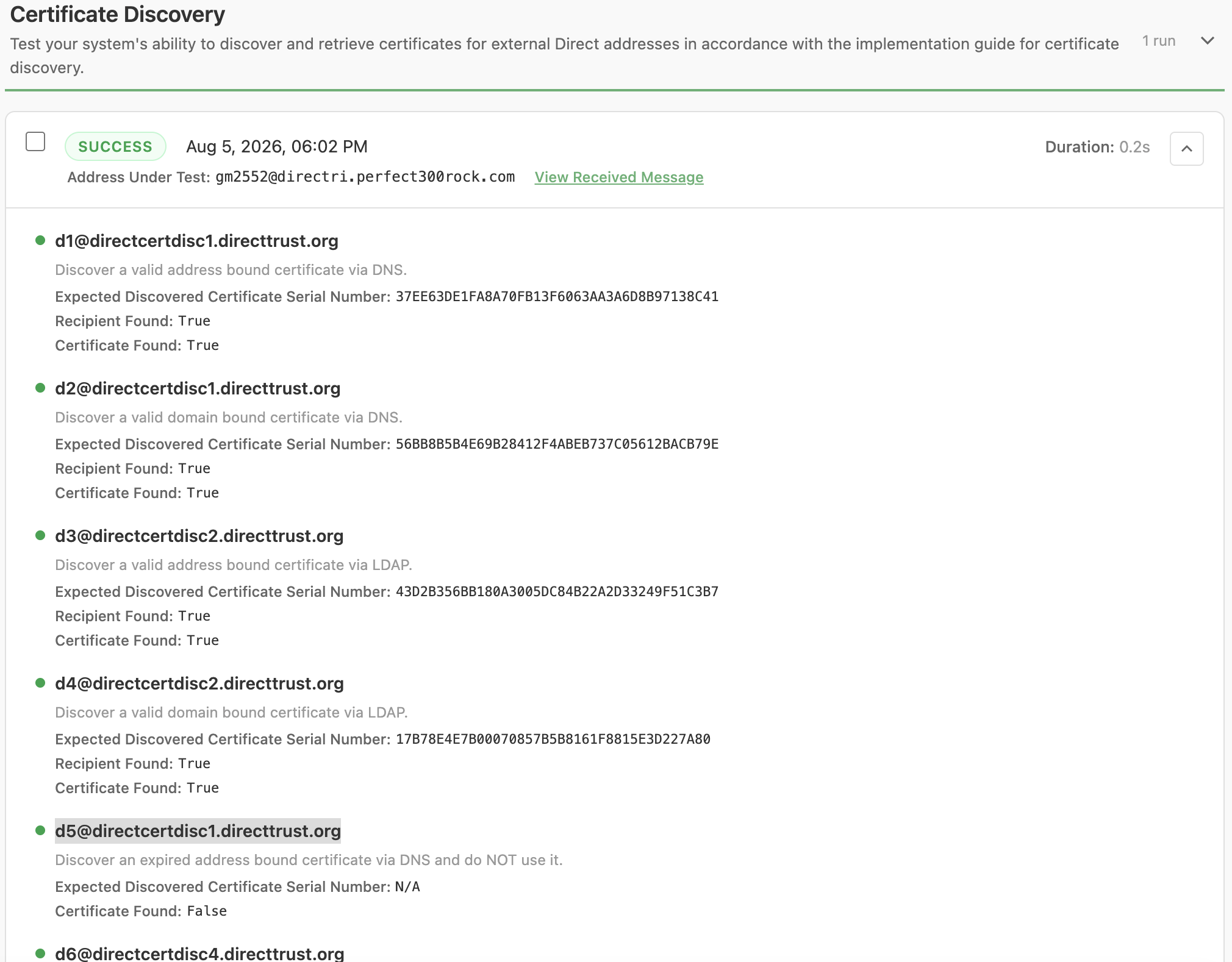
Certificate Discovery test results, showing the outcome for each address scenario
TIP
Note: You will most likely receive “bounce” messages for the addresses that have non-discoverable, expired, or revoked certificates. This is expected and does not indicate a failure of the test.
Viewing the Scenario for an Address
The test screen includes a Test Scenario dropdown beneath the address list. Selecting a Direct address from the dropdown displays the discovery scenario that address covers, without having to leave the tool. For addresses where a certificate is expected to be discovered, an Expected Certificate section is also shown with the Issuer DN, Subject DN, and Serial Number of the certificate your HISP should have used to encrypt the message.
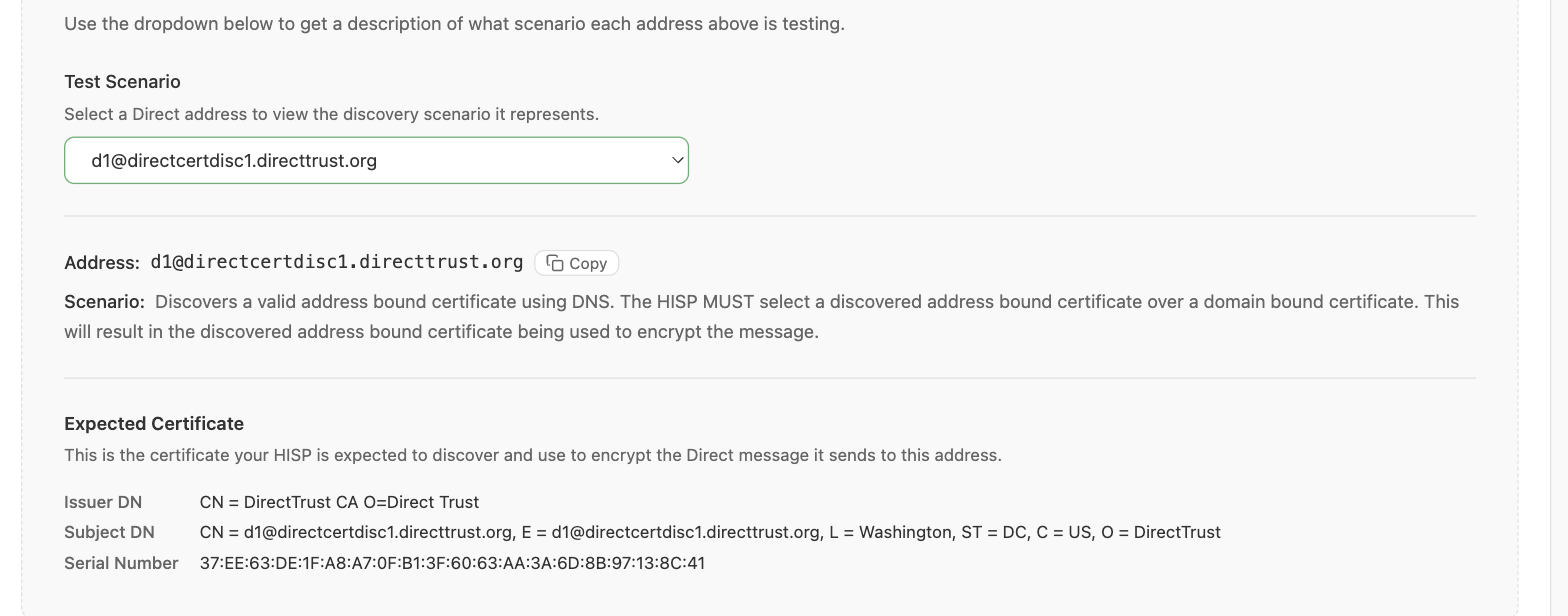
The Test Scenario dropdown showing the scenario and expected certificate for a selected address
The same information for all 18 addresses is listed in the Discovery Scenarios table below.
Discovery Scenarios
Each of the 18 Direct addresses maps to a specific discovery scenario. The following table lists all 18 addresses and the scenario they cover:
| Direct Address | Scenario |
|---|---|
| d1@directcertdisc1.directtrust.org | Discovers a valid address bound certificate using DNS. The HISP MUST select a discovered address bound certificate over a domain bound certificate. This will result in the discovered address bound certificate being used to encrypt the message. |
| d2@directcertdisc1.directtrust.org | Discovers a valid domain bound certificate using DNS. This will result in the discovered domain bound certificate being used to encrypt the message. |
| d3@directcertdisc2.directtrust.org | Discovers a valid address bound certificate using LDAP. The HISP MUST select a discovered address bound certificate over a domain bound certificate. This will result in the discovered address bound certificate being used to encrypt the message. |
| d4@directcertdisc2.directtrust.org | Discovers a valid domain bound certificate using LDAP. This will result in the discovered domain bound certificate being used to encrypt the message. |
| d5@directcertdisc1.directtrust.org | Discovers an expired address bound certificate via DNS and rejects it due to being expired. The discovery process stops at this point and no other discovery attempts are made (it will not fall back to try to discover a domain bound certificate). This will result in the message NOT being encrypted with a certificate bound to this address, and the recipient’s address should be removed from the message’s recipient list. |
| d6@directcertdisc4.directtrust.org | Discovers an expired domain bound certificate via DNS and rejects it due to being expired. The discovery process stops at this point and no other discovery attempts are made. This will result in the message NOT being encrypted with a certificate bound to this address, and the recipient’s address should be removed from the message’s recipient list. |
| d7@directcertdisc2.directtrust.org | Discovers an expired address bound certificate via LDAP and rejects it due to being expired. The discovery process stops at this point and no other discovery attempts are made (it will not fall back to try to discover a domain bound certificate). This will result in the message NOT being encrypted with a certificate bound to this address, and the recipient’s address should be removed from the message’s recipient list. |
| d8@directcertdisc5.directtrust.org | Discovers an expired domain bound certificate via LDAP and rejects it due to being expired. The discovery process stops at this point and no other discovery attempts are made. This will result in the message NOT being encrypted with a certificate bound to this address, and the recipient’s address should be removed from the message’s recipient list. |
| d9@directcertdisc1.directtrust.org | Discovers two address bound certificates via DNS where one certificate is valid and the other certificate is expired. The HISP will use the valid certificate and reject the expired certificate. This will result in the discovered valid address bound certificate being used to encrypt the message. |
| d10@directcertdisc3.directtrust.org | Discovers a valid address bound certificate via LDAP when there are multiple LDAP servers found using SRV records. Some of the LDAP servers will not be reachable, and the HISP MUST continue iterating through the list of LDAP servers until it can successfully query an LDAP server. This will result in the discovered address bound certificate being used to encrypt the message. |
| d11@directcertdisc6.directtrust.org | Attempts to discover a certificate using both DNS and LDAP where there are no certificates available via DNS and no SRV records exist for LDAP. This will result in the message NOT being encrypted with a certificate bound to this address, and the recipient’s address should be removed from the message’s recipient list. |
| d12@directcertdisc7.directtrust.org | Attempts to discover a certificate using both DNS and LDAP where there are no certificates available via DNS and the SRV records point to LDAP servers that are not reachable. This will result in the message NOT being encrypted with a certificate bound to this address, and the recipient’s address should be removed from the message’s recipient list. |
| d13@directcertdisc8.directtrust.org | Attempts to discover a certificate using both DNS and LDAP where there are no certificates available via DNS and no certificates available in the LDAP servers. This will result in the message NOT being encrypted with a certificate bound to this address, and the recipient’s address should be removed from the message’s recipient list. |
| d14@directcertdisc1.directtrust.org | Discovers a valid address bound certificate using DNS where the DNS record size is larger than what will fit into a UDP packet, resulting in a truncated UDP packet. The HISP MUST fall back to using TCP to query the DNS server. This will result in the discovered address bound certificate being used to encrypt the message. |
| d15@directcertdisc2.directtrust.org | Discovers a valid address bound certificate via LDAP when there are multiple LDAP servers found using SRV records. The HISP will query the LDAP servers in order of the SRV records’ priority value (lower value to highest). Each LDAP server contains a valid address bound certificate, and the HISP will select the valid address bound certificate found at the first LDAP server that it queries. This will result in the discovered address bound certificate being used to encrypt the message. If the HISP queries the LDAP servers in the wrong order, then it will select the wrong certificate and the test will fail. |
| d16@directcertdisc5.directtrust.org | Discovers a valid address bound certificate via LDAP when there are multiple LDAP servers found using SRV records. The HISP will query the LDAP servers in order of the SRV records’ weight value (highest value to lowest) when each SRV record has the same priority value. Each LDAP server contains a valid address bound certificate, and the HISP will select the valid address bound certificate found at the first LDAP server that it queries. This will result in the discovered address bound certificate being used to encrypt the message. If the HISP queries the LDAP servers in the wrong order, then it will select the wrong certificate and the test will fail. |
| d17@directcertdisc9.directtrust.org | Discovers a valid address bound certificate via DNS where the certificate does not directly chain to a trust anchor in the HISP trust store. The HISP MUST use the discovered certificate’s AIA extension to download an intermediate certificate in order to create a valid chain to a trust anchor. This will result in the discovered address bound certificate being used to encrypt the message. |
| d18@directcertdisc10.directtrust.org | Discovers a revoked address bound certificate via DNS and rejects it due to being revoked. The HISP MUST validate the certificate against the CRL listed in the discovered certificate’s CRL URL, where it will find that the certificate has been revoked. The discovery process stops at this point and no other discovery attempts are made. This will result in the message NOT being encrypted with a certificate bound to this address, and the recipient’s address should be removed from the message’s recipient list. |