
Appearance
Delivery Notification
This test suite verifies a HISP’s compliance with the sending system requirements of the Implementation Guide for Delivery Notification when using the SMTP edge protocol. It tests that the sending system can deliver MDN dispatched messages back to the edge using a HISP-to-edge system’s agreed-upon edge protocol, as well as the sending system generating DSN failure messages (and delivering those failures back to the edge) under given failure conditions. In these tests, the testing tool will connect to your HISP using the SMTP edge protocol, attempt to send messages, and either retrieve the expected notification messages from your HISP using a “retrieval” edge protocol, or use an out-of-band manual inspection of the generated/delivered notification messages.
TIP
Note: Before you can perform these tests, you must first create an SMTP configuration profile with information that tells the testing tools how to connect and authenticate to your HISP using SMTP. Additionally, you can either configure an edge protocol to retrieve notification messages from the sending HISP using either POP3 or IMAP, or you can choose to manually verify the receipt of notification messages using your own manual/out-of-band process. See the Server Configuration documentation for how to create an SMTP, POP3, and IMAP configuration profile.
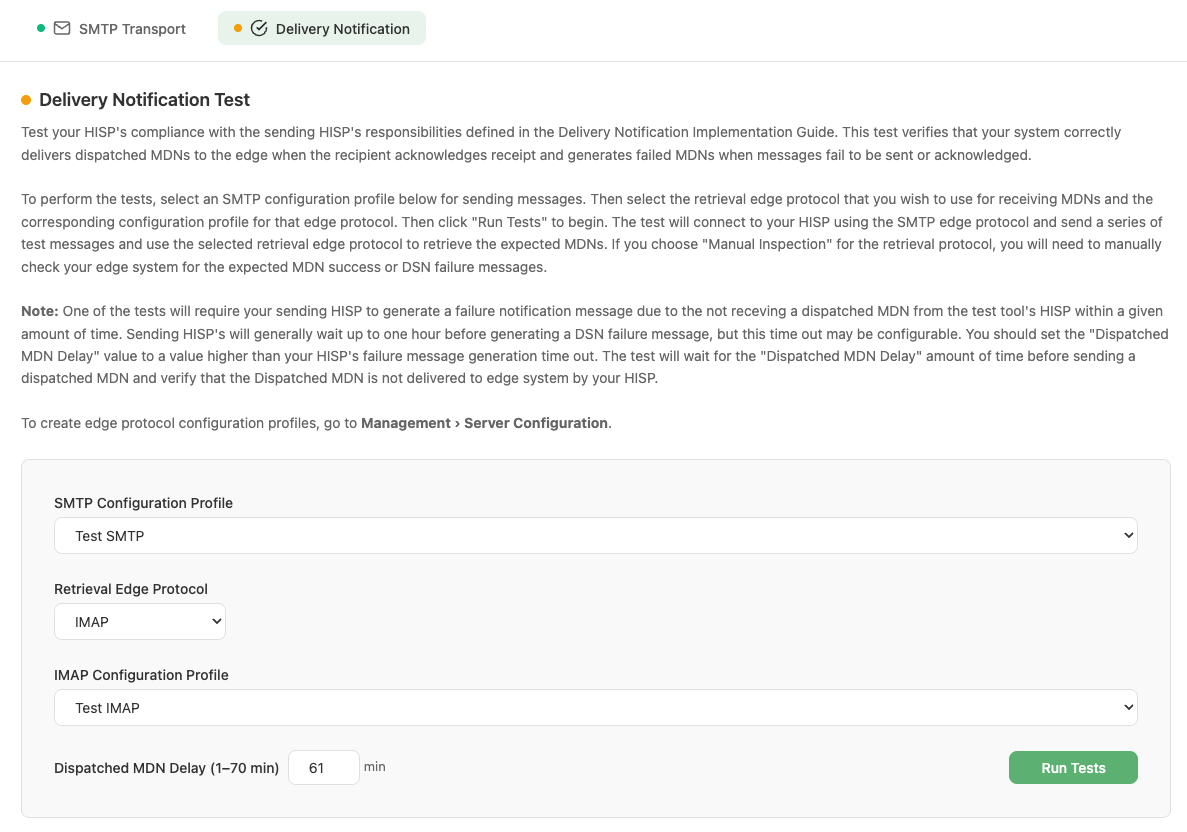
Delivery Notification Test configuration
Workflow
- Navigate to HISP Tools > Edge Protocols > SMTP and select the Delivery Notification tab.
- Select an SMTP configuration profile for the SMTP server that you would like to connect to.
- Select a configuration profile for the edge protocol that you would like to use to retrieve notification messages from your sending HISP. You can also choose to use manual inspection. In the manual inspection case, the tool will not attempt to retrieve any message from your HISP, and validation of the tests will occur through a manual out-of-band process.
- Select a timeout/delay (1–70 minutes). See the note below for more information about the timeout/delay.
- Click Run Tests. The tool immediately begins connecting to your HISP using SMTP and sending messages from the configured SMTP email account. It monitors SMTP command responses and, when applicable, looks for received messages in the tool’s HISP. Monitoring continues until the timeout threshold is exceeded. When using the manual inspection mode, the test will conclude when the messages are successfully sent from the edge to the HISP via SMTP.
- Results are displayed in real time as each test scenario completes, with status indicators for running, success, failed, and aborted.
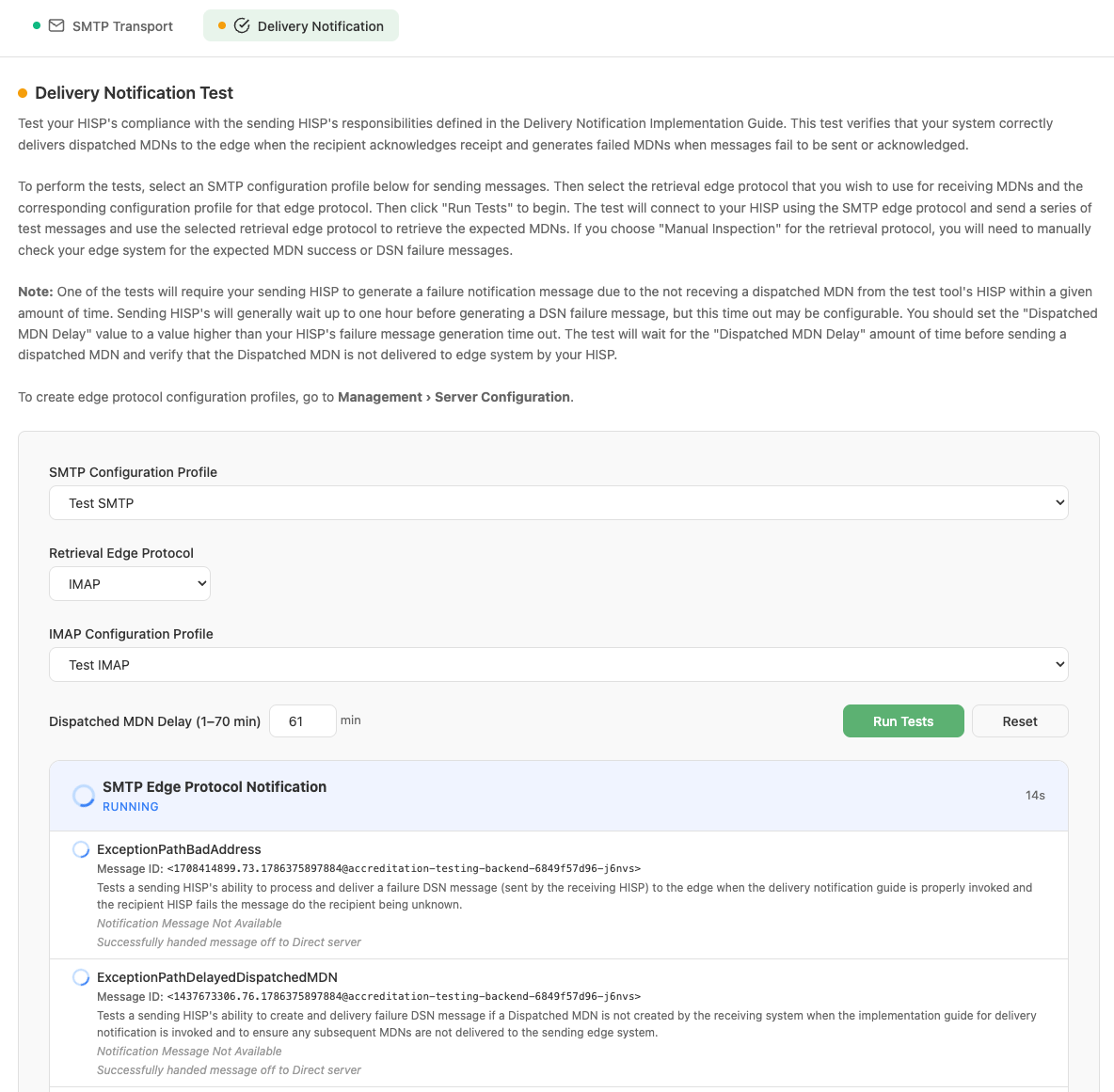
Test scenarios running in real time
- Once all scenarios finish, the overall suite status is shown (SUCCESS, FAILED, or ABORTED).
- The tool will generate a report indicating a success or failure and will report any scenarios that failed. The results can be viewed in the Results and Reports section of the tool under Management > Results and Reports.
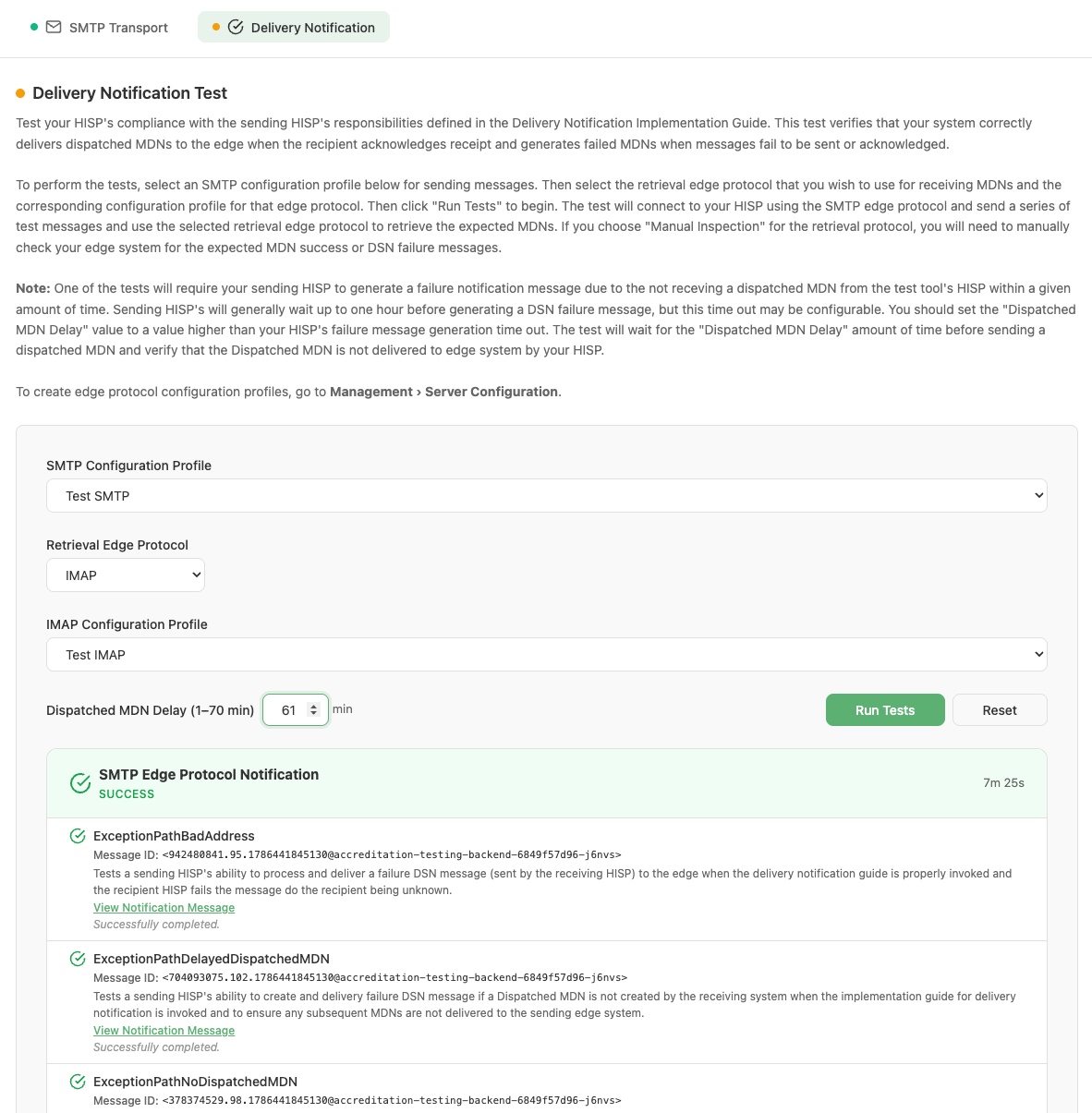
Completed test suite showing overall SUCCESS status
Note: Some of the scenarios expect that a DSN notification message will be generated in response to a timeout event, due to the sending HISP not receiving the expected MDN messages within a given amount of time. In most HISPs, this timeout is 60 minutes. In one particular scenario, the test validates that a DSN message is generated by the sending HISP due to a timeout, but the receiving HISP then sends a dispatched MDN after the timeout. The Dispatched MDN Delay timeout tells the receiving HISP how long it should wait until it tries to send the Dispatched MDN. To correctly set the Dispatched MDN Delay timeout, you should make it at least 1 minute longer than your HISP’s timeout threshold for waiting for notification messages. The testing tool will wait an additional 5 minutes on top of the Dispatched MDN Delay before it completes the test (when using a non-manual retrieval edge protocol).
Test Scenarios
Each of the tests maps to a specific Direct messaging notification scenario. The following table lists all tests and the scenario they cover. It is worth noting that every message sent by the edge/tool contains the necessary headers to invoke the Implementation Guide for Delivery Notification.
| Test Name | Scenario Description |
|---|---|
| ExceptionPathNoPublishedCertificate | The tool connects to the SMTP server, successfully authenticates, and attempts to send a message to a destination that does not have a published certificate. The sending HISP detects the error condition and generates a DSN message that is sent back to the sender. Edge Protocol Retrieval: The test tool expects to retrieve a single DSN message from the HISP corresponding to the sent message. Manual Inspection: The user is expected to show that the sending HISP generated a DSN message addressed to the original sender. |
| ExceptionPathUntrusted | The tool connects to the SMTP server, successfully authenticates, and attempts to send a message to a destination that is not trusted by the sending HISP. The sending HISP detects the error condition and generates a DSN message that is sent back to the sender. Edge Protocol Retrieval: The test tool expects to retrieve a single DSN message from the HISP corresponding to the sent message. Manual Inspection: The user is expected to show that the sending HISP generated a DSN message addressed to the original sender. |
| ExceptionPathBadAddress | The tool connects to the SMTP server, successfully authenticates, and attempts to send a message to a destination that is unknown in the receiving system. The receiving system generates a DSN message and sends it back to the sending HISP, which is expected to deliver the DSN message back to the sending edge system. Edge Protocol Retrieval: The test tool expects to retrieve a single DSN message from the HISP corresponding to the sent message. Manual Inspection: The user is expected to show that the sending HISP received the receiving system’s DSN message addressed to the original sender and attempted to deliver it back to the sending edge. |
| ExceptionPathNoProcessedMDN | The tool connects to the SMTP server, successfully authenticates, and attempts to send a message to a destination that does not return a processed MDN. The sending HISP detects the error condition after a timeout threshold has been exceeded and generates a DSN message that is sent back to the sender. Edge Protocol Retrieval: The test tool expects to retrieve a single DSN message from the HISP corresponding to the sent message. Manual Inspection: The user is expected to show that the sending HISP generated a DSN message addressed to the original sender. |
| ExceptionPathNoDispatchedMDN | The tool connects to the SMTP server, successfully authenticates, and attempts to send a message to a destination that does not return a dispatched MDN. The sending HISP detects the error condition after a timeout threshold has been exceeded and generates a DSN message that is sent back to the sender. Edge Protocol Retrieval: The test tool expects to retrieve a single DSN message from the HISP corresponding to the sent message. Manual Inspection: The user is expected to show that the sending HISP generated a DSN message addressed to the original sender. |
| ExceptionPathDelayedDispatchedMDN | The tool connects to the SMTP server, successfully authenticates, and attempts to send a message to a destination that does not return a dispatched MDN until after the timeout threshold has been exceeded. The sending HISP detects the error condition after the timeout threshold has been exceeded and generates a DSN message that is sent back to the sender. After the timeout threshold has been exceeded and the Dispatched MDN Delay time has expired, the receiving HISP sends a dispatched MDN to the sending HISP, but the sending HISP does NOT deliver the dispatched MDN to the edge, since the DSN has already been generated and delivered. Edge Protocol Retrieval: The test tool expects to retrieve a single DSN message from the HISP corresponding to the sent message, and no dispatched MDN messages should be delivered to the edge. Manual Inspection: The user is expected to show that the sending HISP generated a DSN message addressed to the original sender, and that the dispatched MDN was NOT delivered to the edge. |
| HappyPathGoodHeader | The tool connects to the SMTP server, successfully authenticates, and attempts to send a message to a destination that will successfully deliver the message to the final destination. The receiving system generates a dispatched MDN and sends it back to the sending HISP, which is expected to deliver the MDN message back to the sending edge system. |