
Appearance
Direct Send Messages
This test validates the HISP’s ability to send correctly formatted Direct messages. Rather than the tool initiating the sending of messages, the testing tool listens for messages sent by the HISP to the testing tool’s receiving address. When a message is received, the tool validates the encryption envelope, digital signature, message structure, and MIME headers, and records the results.
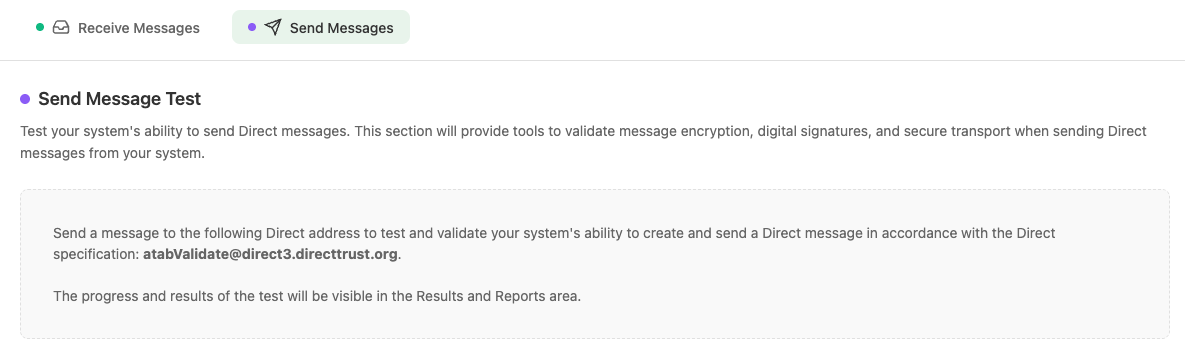
Send Message Test
Workflow
- Navigate to HISP Tools > DirectProtocol and select the Send Messages tab to obtain the Direct address that you need to send to.
- Send a test Direct message to the specified Direct address. You may include any content that you like.
- When the tool receives the message, it processes the message for compliance against Direct Project specifications as well as DirectTrust policy.
- The tool will generate a detailed report breaking down each individual stage of the message’s life cycle, from the original message, to message wrapping, to generating the detached signature, to the final encrypted message. It will report success or failure for all of the message’s stages and report any failures at a granular level. The results can be viewed in the Results and Reports section of the tool under Management > Results and Reports.
Prerequisite: Your HISP must trust the DirectTrust testing trust anchor before these tests will succeed. See the Getting Started guide (Prerequisites) for download links. The Direct address that the message is sent from must also be registered in the User Settings.
The results contain a detailed analysis of each stage of the message’s processing life cycle, including required and optional message headers and additional important information specific to the lifecycle stage. By clicking the “View Message Content” link, you can also view the representation of the message in that specific stage. For example:
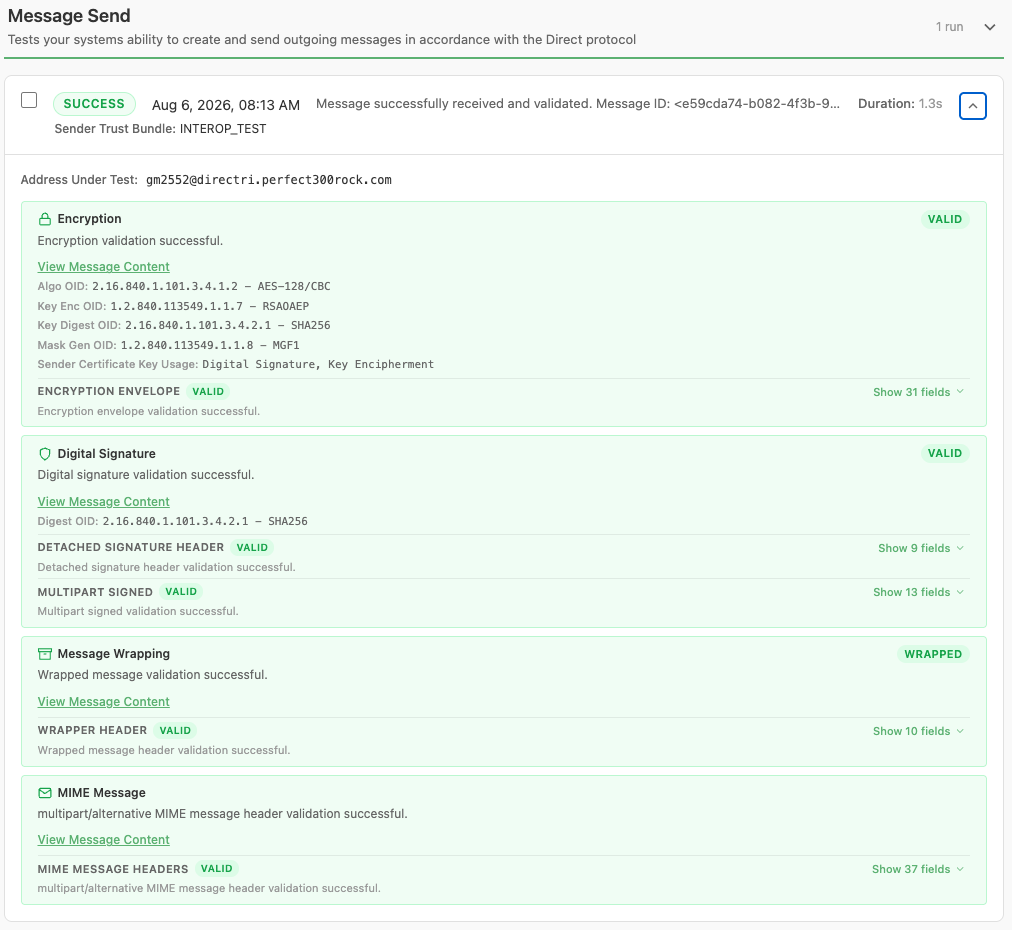
Send Message test results, showing the Encryption, Digital Signature, Message Wrapping, and MIME Message stages
Breakdown of Each Stage
Encryption
The Encryption section details the algorithms used for encrypting the message, as well as the key usage extension of the sender’s signing certificate. It validates that the algorithm used meets both the Direct specification requirements and DirectTrust policy. It also validates that the message headers contain the content required by the Direct specification.
Digital Signature
The Digital Signature section details the algorithm used to generate the message digest (i.e., hash), and breaks the message into its high-level Multipart Signed section and detached signature section. Lastly, it validates that each section contains the message header content required by the Direct specification.
Message Wrapping
The Message Wrapping section ensures that the message was wrapped in accordance with the Direct specification. It also validates that the message headers contain the content required by the Direct specification.
MIME Message
The MIME Message section represents the original message created by the sender. MIME messages can take many forms, such as containing only text, only an attachment, or a combination of the two, including multiple representations of text (using an alternative format). This section performs simple validation of the top-level message headers and does not validate each individual “part” when the message is a complex multipart message; however, it does adapt its validation based on the message content present at the top level.