
Appearance
Overview
DirectTrust Tools is a web-based platform that gives DirectTrust portal members and staff a single, centralized destination for executing workflows such as compliance tests, exploring directory data, and generating formal reports. Rather than maintaining a collection of stand-alone utilities scattered across multiple web sites and modalities, DirectTrust Tools consolidates everything into one authenticated workspace.
Design Philosophy
DirectTrust Tools was designed around three core principles:
- Uniform Login Experience — All users authenticate through a single sign-on flow backed by the DirectTrust Portal (powered by Zoho) or Google. Portal members use the DirectTrust Auth login, which validates their portal membership before issuing a one-time-use passcode, and DirectTrust staff log in via Google OAuth.
- Centralized Report Management — Test results are stored in the tool and linked to the user's account. Unlike other testing sites, there is no need to manually download individual artifacts after running a test, track spreadsheets locally, or re-run tests just to produce a fresh PDF. Users can select any combination of managed results and generate a formal report that is delivered directly to their registered email address.
- Single Point of Entry for DirectTrust Tools — Workflows including but not limited to HISP testing, certificate validation, directory compliance checking, and metadata inspection are all available from one interface. Access to each tool is governed by permissions granted by DirectTrust, so users see only the capabilities that apply to their identity.
Application Layout and Navigation
The DirectTrust Tools interface is divided into three persistent areas: the header bar at the top, the collapsible sidebar on the left, and the main content area in the center.
Header Bar
The header spans the full width of the page and contains the DirectTrust logo on the left and authentication controls on the right. When a user is not logged in, a Login button is displayed.

Header bar before login
After login, the button is replaced by the user's name (and avatar if available) along with a Logout button.

Header bar after login
Collapsible Sidebar
The sidebar provides navigation to all tools and management pages. It can be collapsed to icon-only mode by clicking the arrow button at the bottom of the sidebar, which is useful when more screen space is needed for content. Clicking the DirectTrust logo at the top of the sidebar always returns the user to the home dashboard.
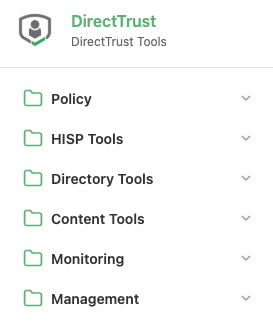
Collapsible sidebar navigation
The sidebar is organized into sections. Only the sections and tools that the user has been granted access to are shown:
| Sidebar Section | Tools Included |
|---|---|
| Policy | Certificate Policy |
| HISP Tools | Certificate Discovery, DirectProtocol, Edge Protocols (XDR, SMTP, POP3, IMAP) |
| Directory Tools | Directory Search, Directory Reports, Compliance Checking |
| Content Tools | Metadata and Payloads Inspection |
| Management | User Settings, Server Configuration, Results and Reports |
Main Content Area
The main content area displays the currently selected tool or the home dashboard. When no tool is selected, the dashboard shows cards for each available tool, grouped by category. Clicking any card navigates directly into that tool.
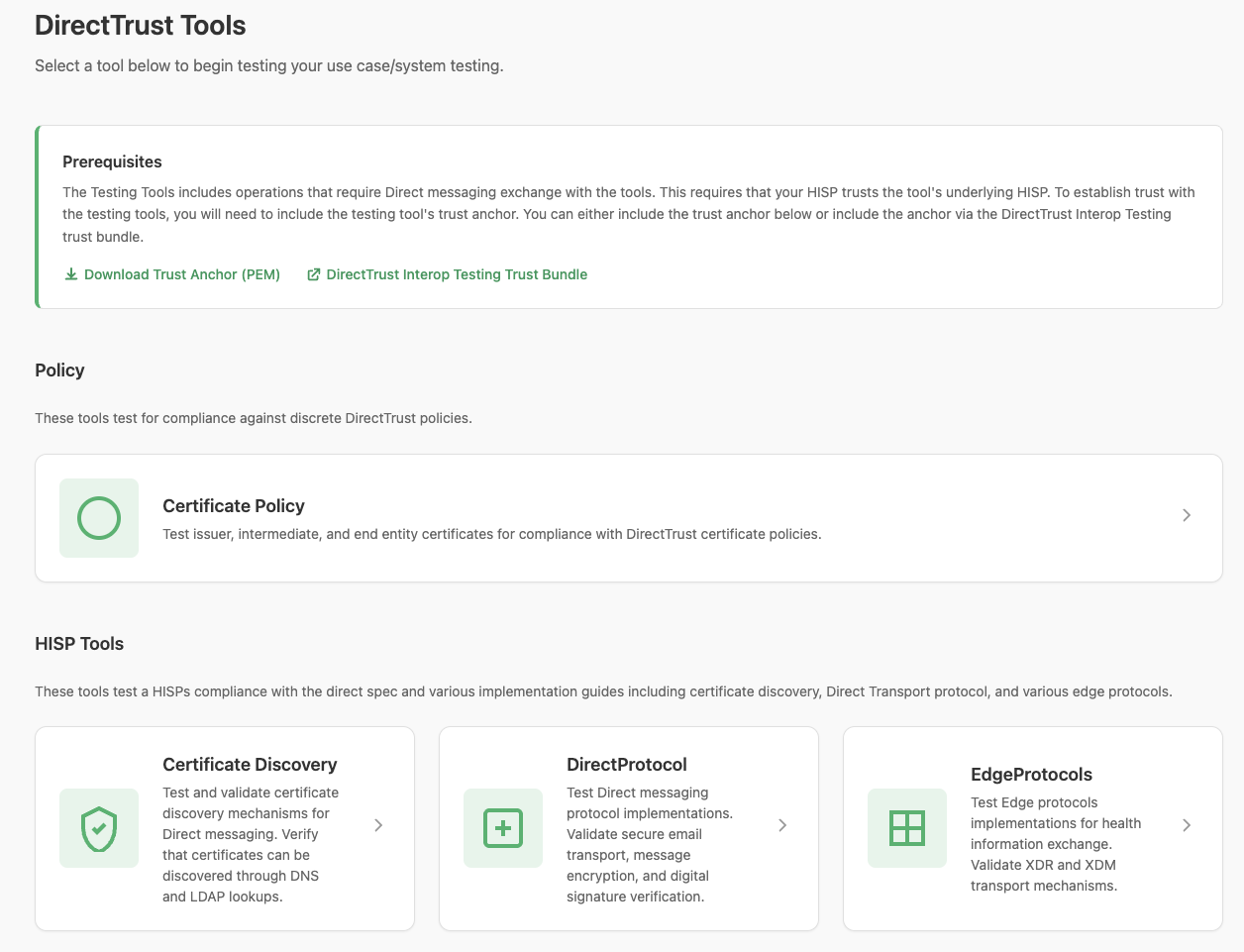
Main content area — home dashboard